
LifeUp: Gamify Tasks & Habits
LifeUp AppsProductivity
4.7629.00 Reviews
- Version
- 1.105.1
- Installs
- 100.00K
- Age Rating
- Everyone
Screenshots
Our Review of LifeUp: Gamify Tasks & Habits
 Analysis by Appyee
I like the idea of making a routine feel less like a list of obligations and more like something I can shape around my own goals. That is the appeal of LifeUp: it gives everyday tasks and habits a role-playing-game flavor, with custom skills, rewards, loot, and crafting. For me, the key question is whether that layer makes it easier to return to real-life priorities, rather than becoming another project to manage. It can do that, but it works best when I keep the setup connected to things I genuinely want to accomplish.
The cost is clear; the payoff depends on your habits
LifeUp is a paid productivity app, listed at $4.99, with in-app purchases shown at $2.99 per item. I would treat that as a straightforward purchase decision rather than assume there is a free tier: the price is part of the commitment, and the extra purchase option is worth noticing before you get attached to a particular setup. The app is rated for Everyone, and its current version is 1.103.2, with Android 5.0 as the minimum OS requirement.
That cost makes the most sense if you expect to use the system regularly. Paying for a planner you abandon after a few days is poor value; paying for a tool that helps you follow through on routines you already care about may be easier to justify. I would not buy it expecting the game elements to create motivation from nothing. They are prompts and rewards, not a substitute for choosing manageable goals.
Who benefits from turning routines into a game?
I can see LifeUp fitting someone who likes adjusting systems, collecting progress, and deciding what counts as a reward. A student could use it to make a study routine feel more tangible, while someone trying to keep up with household tasks could separate recurring chores from one-off jobs. Its flexibility is also useful if a standard checklist feels too plain to hold your attention.
It is a less natural fit if you want a nearly invisible reminder app or a minimal to-do list that takes seconds to maintain. The same customization that gives LifeUp personality can add decisions: what tasks deserve points, which habits should repeat, and how elaborate the reward system should become. If those choices feel like enjoyable tinkering, that is part of the appeal; if you mainly want to capture an appointment quickly, a simpler calendar or checklist may serve you better.
Getting Started with LifeUp
First off, downloading the app was a breeze. It's available for both Android and iOS, so no matter what camp you're in, you're covered. Once installed, the setup process was straightforward. You create an account, and voila, you're in! The interface is clean and intuitive, which is always a plus when you're diving into a new app.
A Game-Like Experience
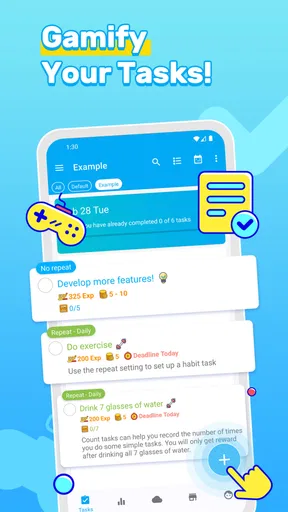
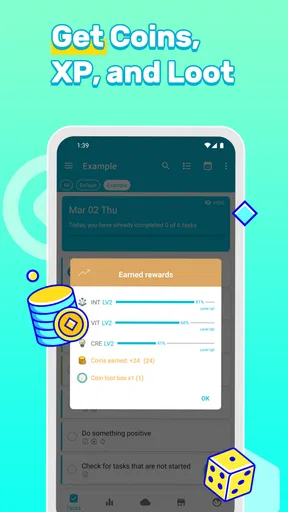
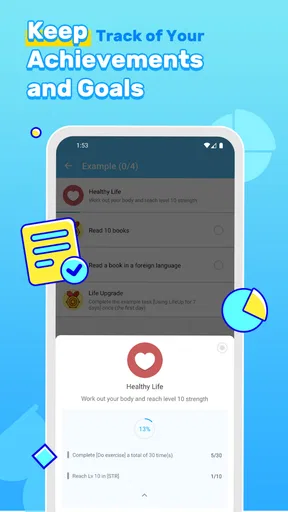
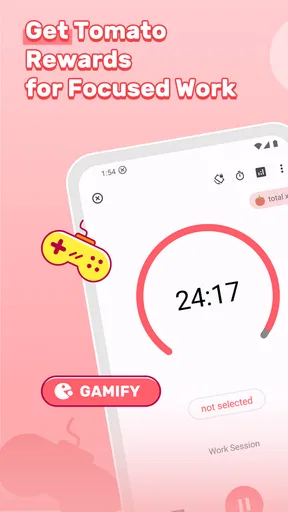
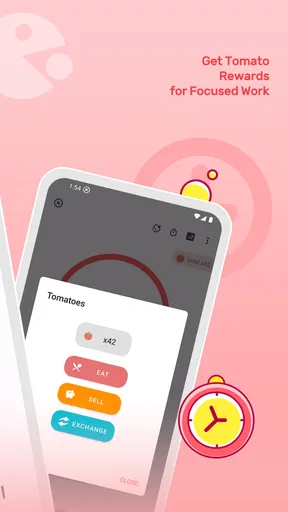
What's really cool about LifeUp is how it turns your mundane tasks into a game-like experience. You start by creating tasks and habits, and each one gives you "experience points" when you complete them. It's like leveling up in a game, but instead, you're leveling up in life! This gamification aspect is super motivating, especially for someone like me who thrives on rewards and achievements.
The app also allows you to set different categories for your tasks, which you can customize with colors and icons. This feature helps in keeping everything organized, and the visual appeal makes it more engaging. Plus, you can set deadlines and reminders, so you never miss a beat.
Customization and Features
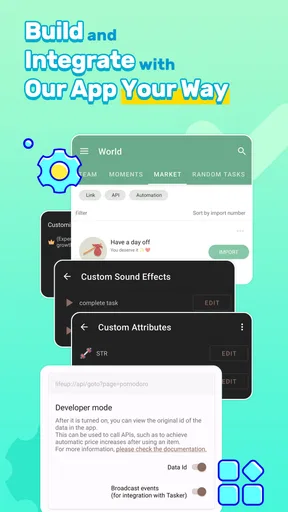
One of the standout features of LifeUp is its high level of customization. You can tailor almost every aspect of the app to fit your personal style and preferences. Whether it's changing themes, icons, or the way tasks are displayed, the app gives you the freedom to make it your own.
Another neat feature is the "Habit" section, where you can set daily, weekly, or monthly goals. This is perfect for building and maintaining habits over time. The app keeps track of your streaks, and trust me, you won't want to break them once you get going!
Make the reward system work for you
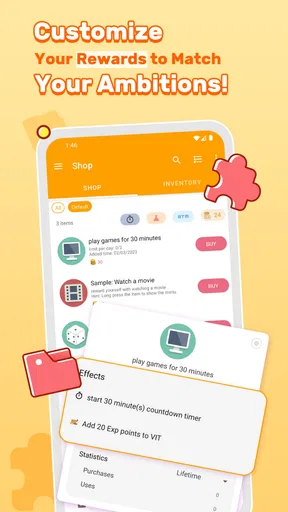
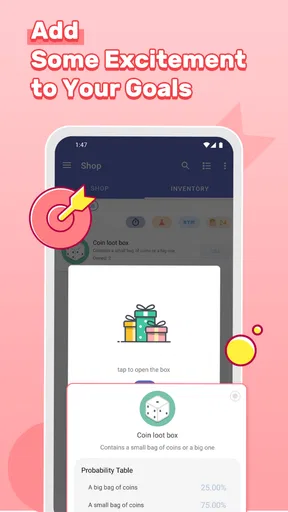
The most useful way I would approach the RPG layer is to keep rewards tied to effort I can actually control. For example, I might make a short study session a repeatable task, then reserve a larger reward for finishing a clearly defined piece of work. That avoids giving every tiny action the same weight and makes the progress feel earned rather than arbitrary. I would also start with just a few skills or reward ideas; building a complicated economy before I know what I will maintain is an easy way to turn planning into procrastination.
A realistic weekday setup could include a morning habit, one important work or study task, and a household chore that tends to get postponed. I could check the list at the start of the day, use reminders only for time-sensitive items, then mark the work complete when it is genuinely done. In the evening, the reward system can make a small personal treat feel like a deliberate payoff. The point is not to award myself for every breath; it is to make repeated effort visible without letting the app become the main event.
Where it sits beside ordinary planners
Compared with a basic checklist, LifeUp asks for more personal setup but offers a more playful reason to revisit tasks. Compared with a calendar, it is better suited to routines and self-directed goals than to viewing a schedule full of appointments. Those tools can still complement it: I would keep fixed meetings in a calendar and use LifeUp for habits and actions I want to repeat. If you already enjoy a conventional to-do app and reliably complete your tasks, switching may add decoration without solving a real problem.
The distinction matters for people who share responsibilities, too. I would not assume a personal progress system replaces a household calendar or a team task board. Its strongest use is making an individual's intentions easier to engage with; coordinating other people's schedules calls for tools built around shared planning. Before moving everything over, try a small set of personal goals and see whether the reward loop changes your follow-through.
Customization and consistency have a trade-off
Having many ways to personalize a system can be motivating, but it can also invite repeated redesign. I would resist changing point values or reward rules whenever a task feels difficult, because then the system stops reflecting consistent effort. A better approach is to choose a simple starting arrangement, use it long enough to notice what is inconvenient, and make one deliberate adjustment at a time. This is a practical way to preserve the freedom of customization without turning the app into a hobby that competes with the habits it is meant to support.
Another useful boundary is to distinguish a missed task from a failed goal. A streak can make regular practice satisfying, but life is uneven; if a broken streak makes you abandon the whole routine, it is no longer helping. I would use streaks as a record of consistency, not as a verdict on my character. For flexible goals, a weekly or monthly rhythm may feel more realistic than demanding a perfect run of daily check-ins.
Community and Social Interaction
Life doesn't have to be a solo adventure, and neither does LifeUp. The app has a community feature where you can join groups, share your progress, and even engage in friendly competitions. This social aspect adds another layer of motivation, as you can cheer each other on or engage in challenges.
I found the community section to be a great place for tips and encouragement. It's like having a group of cheerleaders rooting for you and your goals. Plus, it's always interesting to see how others are using the app to better their lives.
What to expect before committing
LifeUp is developed by LifeUp Apps, and it has a 4.7 average from around 6.8 thousand ratings, with more than 100 thousand installs. Those figures suggest that plenty of people have tried it, but they do not tell me whether its particular style will suit my routine. I would put more weight on whether I enjoy maintaining custom tasks and rewards than on popularity alone. Its Everyone age rating also makes the listed audience broad, though the real question for any user is whether the game-like structure feels helpful rather than distracting.
One practical question is whether I need to gamify every part of my day. I would say no: the system is more manageable when I reserve it for a few goals where encouragement matters. Another is whether it replaces a calendar; I would not use it that way for fixed appointments. And if I stop enjoying the reward mechanics, I would simplify the setup or return to a plain list rather than keep adding layers in the hope that complexity will restore motivation.
Room for Improvement?
No app is perfect, right? While LifeUp is pretty impressive, there are a couple of things I think could make it even better. Sometimes, the notifications can be a bit overwhelming, especially if you've set a lot of tasks or reminders. A bit more control over these alerts would be a nice touch.
Additionally, while the customization options are vast, they can be a little daunting for newcomers. A guided tutorial or more tips within the app might help new users get the most out of all the features without feeling overwhelmed.
My buy-or-skip verdict
I would buy LifeUp if I already know that rewards, visible progress, and personal tinkering help me stick with routines. Its $4.99 price is easiest to defend when I plan to use the task and habit system consistently, rather than merely enjoy configuring it. I would skip it if I need a bare-bones list, rely mainly on appointment scheduling, or dislike the idea of assigning game-like value to real chores. For those needs, a conventional checklist or calendar is the more direct choice.
Overall, LifeUp: Gamify Tasks & Habits is a fantastic tool for anyone looking to inject some fun into their daily routine. Whether you're a student, a busy professional, or just someone who wants to build better habits, this app has something to offer. Give it a shot, and you might just find yourself leveling up in more ways than one!
Verdict
Strengths of LifeUp: Gamify Tasks & Habits
- Engaging gamification boosts productivity.
- Customizable tasks fit personal preferences.
- Track progress with intuitive visuals.
- Integrates seamlessly with calendar apps.
- User-friendly interface enhances experience.
Limitations of LifeUp: Gamify Tasks & Habits
- Limited free features; premium needed.
- Sync issues occasionally reported.
- No offline mode available.
- Notifications can be overwhelming.
- Learning curve for advanced features.
Similar Picks in This Category
View All
Google Calendar
Google LLC4.6

Google Drive
Google LLC4.3

Google Assistant
Google LLC3.9

Microsoft OneDrive
Microsoft Corporation4.6

Samsung Calendar
Samsung Electronics Co., Ltd.4.1

Microsoft OneNote: Save Notes
Microsoft Corporation4.6
Frequently Asked Questions
What is LifeUp: Gamify Tasks & Habits?
LifeUp is a productivity app that transforms task management and habit-building into a gamified experience. It allows users to create and track tasks, set goals, and build habits using game-like elements such as levels, achievements, and rewards, making productivity engaging and motivating.
How does LifeUp gamify task and habit management?
LifeUp integrates game mechanics into everyday tasks by assigning XP points for completed tasks, offering achievements for reaching milestones, and providing customizable avatars. This approach turns productivity into a fun and engaging game, encouraging users to complete tasks and develop good habits consistently.
Is LifeUp suitable for both personal and professional use?
Yes, LifeUp is designed to be versatile, catering to both personal and professional settings. Users can customize categories for different aspects of life, whether it’s managing work projects, personal goals, or daily routines, making it adaptable to various productivity needs.
Does LifeUp support integration with other apps or platforms?
LifeUp currently focuses on providing a robust standalone experience for task and habit management. While it may not directly integrate with other apps, it offers export options and cloud storage features to help users manage their data across multiple devices.
Is LifeUp user-friendly for beginners?
LifeUp is designed with an intuitive interface that is easy for beginners to navigate. The app provides tutorials and tips to help new users understand its features quickly. Its gamified elements are straightforward, making it accessible to users new to productivity apps.
